

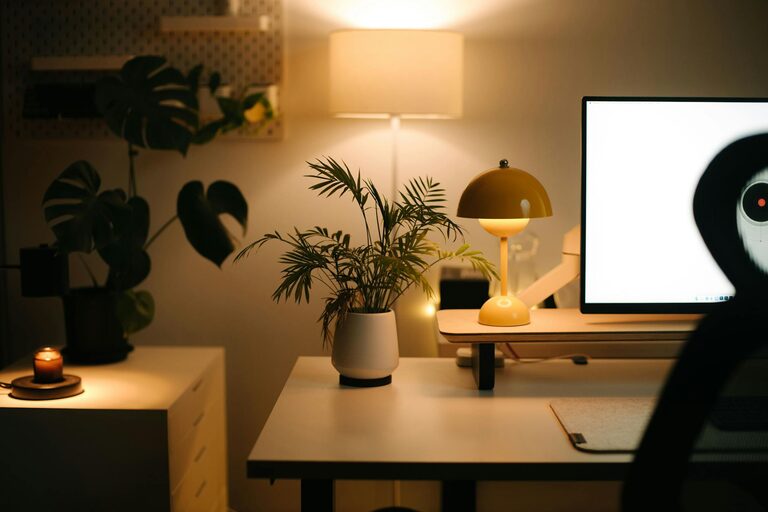
Creating a home office that is both cozy and productive can transform your work days from tiring to inspiring. Whether you’re new to remote working or have been doing it for a while, the right environment helps you stay focused and comfortable. In this post, we’ll explore useful tips for designing a home office that balances comfort with efficiency.
1. Choose the Right Location
Finding the ideal spot in your home for your office is the first step. Here are some things to consider:
– Natural Light: Position your desk near a window to benefit from natural daylight. This reduces eye strain and improves mood.
– Quiet Area: Select a part of your home that experiences minimal noise and distractions.
– Space Availability: Ensure the area has enough room for your desk, chair, and any other equipment you need.
If you don’t have a dedicated room, create a defined workspace using screens or shelving to separate work from relaxation areas.
2. Invest in Comfortable and Ergonomic Furniture
Your furniture affects both your health and productivity. Focus on ergonomics:
– Desk: Choose a desk with enough surface area for your computer, notebooks, and essentials.
– Chair: Opt for a chair with adjustable height, lumbar support, and comfortable padding.
– Monitor Stand: Use stands or risers to keep your screen at eye level, preventing neck strain.
By supporting good posture, you reduce fatigue and make long work hours more manageable.
3. Organize Your Workspace Efficiently
Clutter can distract and lower productivity. Organize your workspace with these ideas:
– Storage Solutions: Use shelves, drawers, or filing cabinets to keep documents and supplies tidy.
– Desk Accessories: Pencil holders, cable organizers, and trays help keep items in place.
– Minimalism: Limit your desk surface to necessary items only; consider digital tools to reduce paper clutter.
A clean workspace makes it easier to focus and quickly find what you need.
4. Personalize Your Space with Cozy Elements
Adding touches that make you feel comfortable can help you work better:
– Soft Textiles: Include cushions, rugs, or throws to add warmth and softness.
– Plants: Small indoor plants improve air quality and create a calming atmosphere.
– Artwork: Hang inspiring pictures or add decorative items that motivate you without being distracting.
Balance functionality with these personal touches to create an inviting work area you enjoy spending time in.
5. Control Lighting for Comfort and Productivity
Proper lighting reduces eye strain and keeps you alert:
– Layered Lighting: Combine natural light with task lamps and ambient lighting.
– Adjustable Lamps: Use lamps with adjustable brightness and direction to suit your needs.
– Avoid Glare: Position lights and monitors to prevent reflections or harsh shadows.
If your room lacks windows, invest in full-spectrum bulbs that mimic daylight for better focus.
6. Manage Noise and Distractions
Creating a quiet environment is key for concentration:
– Noise-Canceling Headphones: These can help block out background noise.
– Soundproofing: Use rugs, curtains, or wall panels to dampen sound.
– Dedicated Work Hours: Communicate your schedule to household members to minimize interruptions.
Establishing boundaries helps you maintain productivity and work-life balance.
7. Maintain Good Air Quality and Temperature
Comfort includes air freshness and temperature control:
– Ventilation: Open windows when possible or use air purifiers.
– Temperature: Keep your workspace at a comfortable temperature using fans or heaters as needed.
Good air quality and a pleasant room temperature improve concentration and reduce fatigue.
8. Plan for Technology Needs
Make sure your office supports your technical requirements:
– Internet Connection: A stable, high-speed connection is essential.
– Power Outlets: Ensure you have enough plugs or use surge protectors.
– Cable Management: Tidy cables with clips or sleeves to avoid tangles and hazards.
Having your tech set up efficiently prevents frustration and downtime.
9. Create a Routine and Breaks Area
Finally, encourage productivity by structuring your workday:
– Set Hours: Define consistent working hours to build habit and focus.
– Break Corner: Include a small area with a comfortable chair or cushion where you can take short breaks.
Taking pauses and separating work from relaxation supports long-term productivity and wellbeing.
—
By thoughtfully designing your home office, you can enjoy a workspace that feels welcoming and promotes effective work habits. Implement these tips step by step and adjust based on your preferences to create a home office where you’ll feel your best every day.