

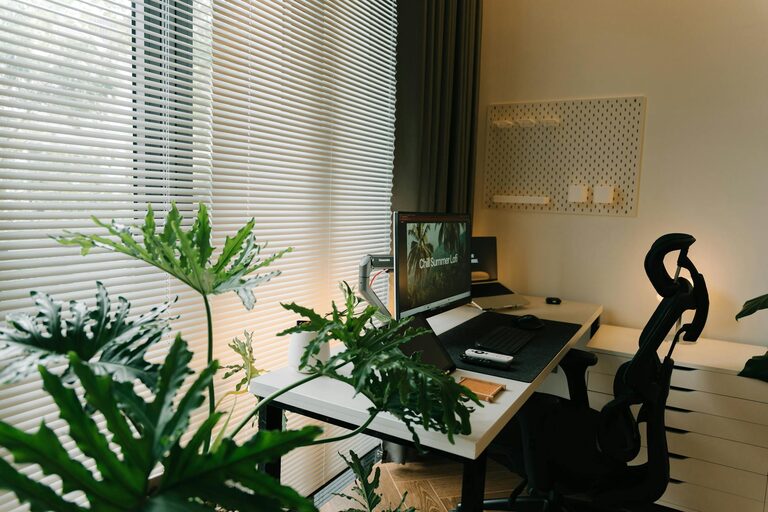
Working from home has become a norm for many, and having a well-designed home office can make all the difference. A space that nurtures relaxation while enhancing productivity helps maintain focus, reduce stress, and improve overall work satisfaction. Here are some practical tips to create an environment that balances comfort and efficiency.
Choose the Right Location
Find a Quiet Spot
Selecting a quiet area in your home is essential. Ideally, this space should be away from high-traffic zones and distractions like the television or household chores.
Consider Natural Light
Position your desk near a window if possible. Natural light can improve mood, reduce eye strain, and keep you alert throughout the day.
Invest in Ergonomic Furniture
Comfortable Chair
An ergonomic chair supports your posture and prevents back pain during long work hours. Look for adjustable features such as seat height, lumbar support, and armrests.
Proper Desk Height
Your desk should allow your arms to rest comfortably at about a 90-degree angle when typing. Adjust your chair and desk to find the most comfortable setup.
Organize Your Workspace
Declutter Regularly
A tidy workspace reduces stress and helps you focus. Keep only the essentials on your desk and store other items in drawers or shelves.
Use Storage Solutions
Consider shelves, filing cabinets, or organizers to keep documents and supplies neatly arranged. Labeling storage boxes can also speed up finding things.
Personalize Your Space
Add Plants
Plants bring a touch of nature indoors, improve air quality, and can enhance your mood. Choose low-maintenance varieties like succulents or snake plants.
Include Personal Items
Photographs, artwork, or meaningful objects can make your office feel welcoming and inspire creativity. Just don’t overcrowd the space.
Control Lighting and Noise
Use Adjustable Lighting
In addition to natural light, use desk lamps or floor lamps with adjustable brightness. This helps reduce eye strain, especially during evenings.
Minimize Noise Distractions
If outside noise is an issue, consider noise-cancelling headphones or soundproofing options like rugs and curtains.
Establish Boundaries
Set Clear Work Hours
Define your working hours to create a routine and prevent burnout. Communicate these boundaries with family or housemates.
Separate Work and Leisure
Avoid using your home office for non-work activities. This mental separation helps you focus during work and relax afterward.
Incorporate Break Areas
Create a Relaxation Spot
If space allows, add a comfortable chair or small sofa for breaks. Taking brief rests away from the desk helps recharge your mind.
Practice Stretching or Light Exercise
Keep some space for simple stretches to relieve tension. Movement helps maintain energy and prevents stiffness.
Optimize Technology Setup
Reliable Internet Connection
Ensure your internet speed supports video calls, downloads, and other tasks without interruptions.
Organize Cables
Use cable organizers or clips to keep cords untangled and prevent accidents.
Use Multiple Monitors
If your work requires multitasking, adding a second screen can increase productivity by reducing the need to switch between tabs.
Maintain a Healthy Environment
Air Quality
Regularly open windows or use an air purifier to keep fresh air circulating.
Temperature Control
Keep your workspace at a comfortable temperature to avoid distractions due to feeling too hot or cold.
Final Thoughts
Creating a relaxing and productive home office doesn’t require a complete redesign. Small, thoughtful changes focused on comfort, organization, and personalization can transform your workspace. By designing your environment with care, you set the stage for effective and enjoyable workdays. Experiment with these tips and adjust them based on your needs to find the perfect balance for you.