

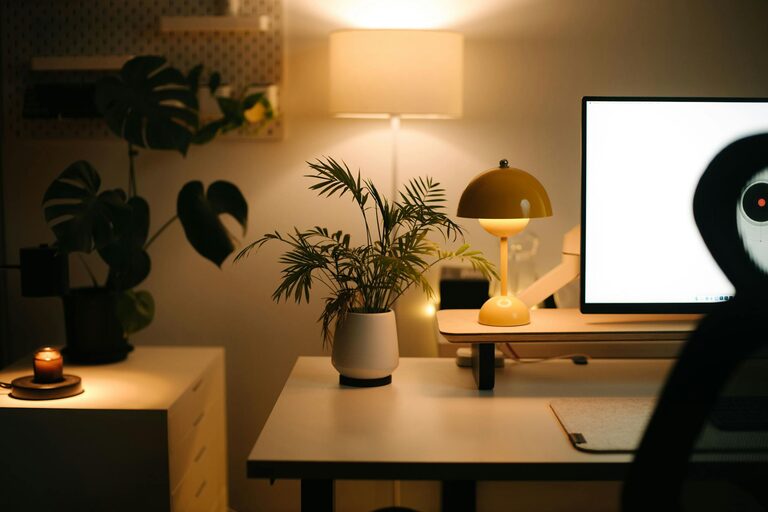
Creating a cozy and functional home workspace is essential for anyone who works remotely or spends significant time on personal projects. A well-designed workspace can boost productivity, reduce stress, and make your home environment more enjoyable. In this post, we’ll explore practical steps to set up a workspace that feels inviting and supports your work needs.
Why a Cozy and Functional Workspace Matters
Whether you have a dedicated room or a small corner in your living area, your workspace influences how you work and feel throughout the day. Coziness helps you feel comfortable and relaxed, while functionality ensures you have everything necessary to be productive. Combining these factors can help you maintain better focus and balance.
Choosing the Right Location
Start by selecting a suitable space in your home for your workspace. Consider the following:
– Natural light: Position your desk near a window to benefit from daylight. Natural light can improve mood and reduce eye strain.
– Quiet environment: Find an area away from household noise or distractions.
– Space availability: Even a small nook can work if organized thoughtfully.
Selecting Furniture That Works for You
Desk
Choose a desk that fits your space and work style. Consider:
– Size: Make sure it can hold your computer, notebooks, and other essentials comfortably.
– Height: An ergonomic desk height reduces strain on your wrists and back.
– Storage: Drawers or shelves can keep supplies organized and within reach.
Chair
Invest in a supportive chair that encourages good posture. Look for:
– Adjustable height and backrest.
– Comfortable cushioning.
– Mobility, if you prefer a rolling chair.
Organizing Your Workspace
Clutter can distract and slow you down. Keep your workspace tidy with these strategies:
– Use organizers: Desk trays, pen holders, and file racks help keep items sorted.
– Cable management: Use clips or cable sleeves to prevent wires from tangling.
– Storage solutions: Shelves, boxes, or drawers can store less frequently used items.
Adding Comfortable and Personal Touches
A cozy workspace feels inviting when it reflects your personality and comforts. Small details make a big difference:
– Soft lighting: Add a desk lamp with warm light to create a relaxing atmosphere.
– Plants: Greenery improves air quality and adds life to your space.
– Textiles: Consider a small rug, a throw blanket, or comfortable cushions.
– Artwork or photos: Personalize your area with images that inspire or make you happy.
Incorporating Functional Technology
Make sure your technology supports your workflow efficiently:
– Reliable internet connection.
– External monitor or keyboard if needed.
– Headphones to block noise during calls or focus time.
Maintaining Work-Life Balance in Your Workspace
Keep your workspace separate from your relaxation areas as much as possible. This helps your brain distinguish work time from personal time, reducing burnout.
– If space is limited, clear your desk at the end of the day.
– Avoid using your bed or couch exclusively for work to maintain boundaries.
Tips for Staying Productive and Comfortable
– Take regular breaks to stretch and rest your eyes.
– Adjust your chair and desk setup as needed to stay comfortable.
– Keep a water bottle nearby to stay hydrated.
Final Thoughts
Designing a home workspace that is both cozy and functional can greatly enhance your daily routine. A thoughtfully chosen location, ergonomic furniture, organized accessories, and personal touches will create an environment where you feel comfortable and motivated. Start small, adapt your space over time, and enjoy the benefits of a workspace designed just for you.