

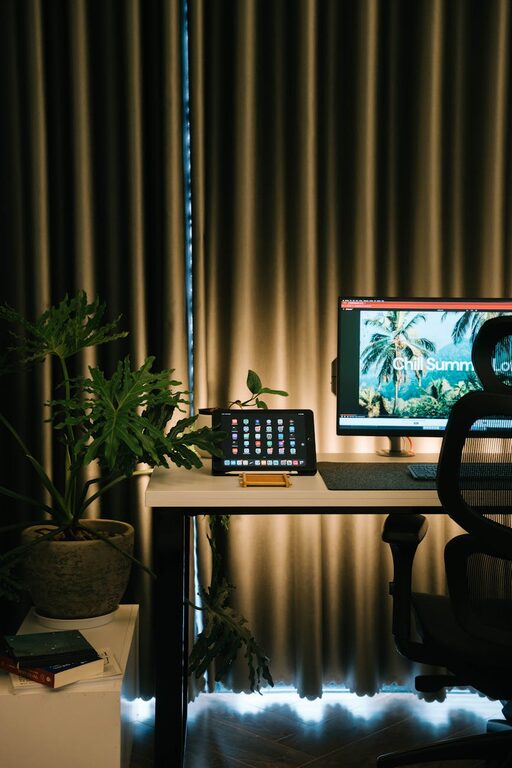
Creating a home office environment that is both cozy and productive can significantly improve your work experience. Whether you work remotely full-time or occasionally need a quiet spot for focused tasks, your home office should inspire comfort and efficiency. Here are some practical tips to help you design a workspace that supports your best work while feeling warm and inviting.
Choose the Right Location
Consider Natural Light
Natural light has a positive impact on mood, energy, and focus. Try to set up your office near a window to make the most of daylight. If natural light is limited, invest in quality lighting that mimics daylight to reduce eye strain and maintain alertness.
Minimize Distractions
Select a quiet area away from high-traffic zones in your home. If space is tight, consider using room dividers or noise-cancelling headphones to create a sense of separation from other activities.
Invest in Comfortable and Ergonomic Furniture
Select an Adjustable Chair
An ergonomic chair with adjustable height and lumbar support helps maintain good posture, reducing the risk of back pain. Comfort is key for long working hours, so test chairs before buying if possible.
Use a Suitable Desk
Choose a desk that fits your working style and the equipment you use. A desk with enough surface area for your computer, papers, and accessories reduces clutter. Standing desks or adjustable sit-stand desks offer flexible working positions.
Personalize Your Space
Add Warm Textiles
Including soft cushions, a throw blanket, or a small rug can add warmth and make the home office feel inviting. Textiles also help absorb sound, creating a quieter environment.
Incorporate Plants
Plants not only add a splash of green but also improve air quality and boost mood. Select low-maintenance indoor plants like snake plants, pothos, or succulents.
Display Inspiring Items
Photos, art prints, or motivational quotes can enhance your workspace’s atmosphere. Choose items that make you feel positive and motivated without causing distractions.
Organize for Efficiency
Declutter Regularly
A tidy workspace helps clear your mind and improve focus. Set aside a few minutes at the end of each day to organize papers, tidy your desk, and store away unused items.
Use Practical Storage
Shelving, drawers, and desk organizers keep everything in its place. Label containers to quickly find what you need and avoid wasted time searching.
Digital Organization
Maintain your computer desktop and digital files with an organized folder structure and regular backups. Using productivity apps can also keep track of tasks and deadlines efficiently.
Control Lighting and Temperature
Use Layered Lighting
Combine overhead lights with task lighting, such as adjustable desk lamps, to reduce eye fatigue and create a pleasant ambiance.
Maintain Comfortable Temperature
Keep your workspace well-ventilated and at a comfortable temperature. Personal heaters or fans can help you adjust the climate according to your preferences.
Set Clear Boundaries
Define Work Hours
Establish a clear schedule to separate work time from personal time. This helps sustain a healthy work-life balance and prevents burnout.
Communicate with Household Members
Inform your family or roommates about your work schedule to minimize interruptions. Use visual cues, such as a closed door or a “do not disturb” sign, during important meetings or focused work.
Take Breaks and Move
Schedule Short Breaks
Taking regular breaks encourages relaxation and prevents fatigue. A good practice is the 50/10 rule: work for 50 minutes, then take a 10-minute break.
Incorporate Movement
Use break times to stretch, walk around, or do light exercises. This can boost circulation and refresh your mind for improved productivity.
Use Technology Wisely
Invest in Quality Equipment
Reliable internet, a good computer, and necessary peripherals like a keyboard, mouse, and headset can prevent technical frustrations.
Minimize Digital Distractions
Limit notifications and use apps that block distracting websites during work hours. Organize your digital tools so you can access what you need quickly.
—
By thoughtfully arranging your home office, you combine comfort with functionality. These steps create a welcoming environment that supports your productivity and well-being. With the right setup, working from home can be both a pleasure and a success.